01 / Brief
Start with the commercial job.
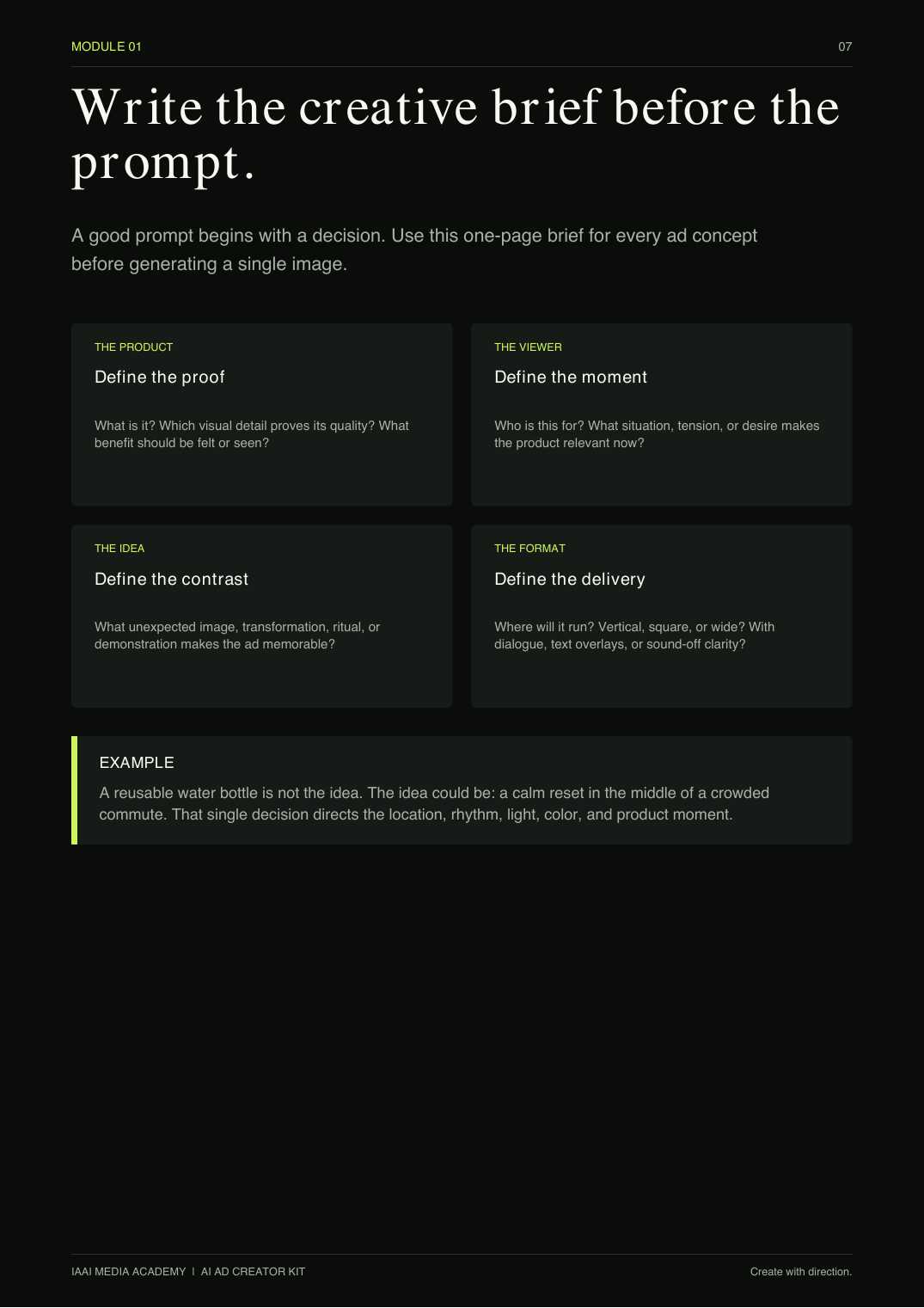
Write the audience, product, visual direction, and story before the prompt box becomes the plan.
IAAI MEDIA Academy
A practical digital production system for turning a brief into a structured AI ad process: concept, shot planning, generation, consistency, edit, and quality control.
Secure checkout through Gumroad. Download links are sent automatically after successful payment.

A usable workflow
The kit connects the production decisions around the prompt so you have a clearer next move when a project needs direction.
01 / Brief
Write the audience, product, visual direction, and story before the prompt box becomes the plan.
02 / Generate
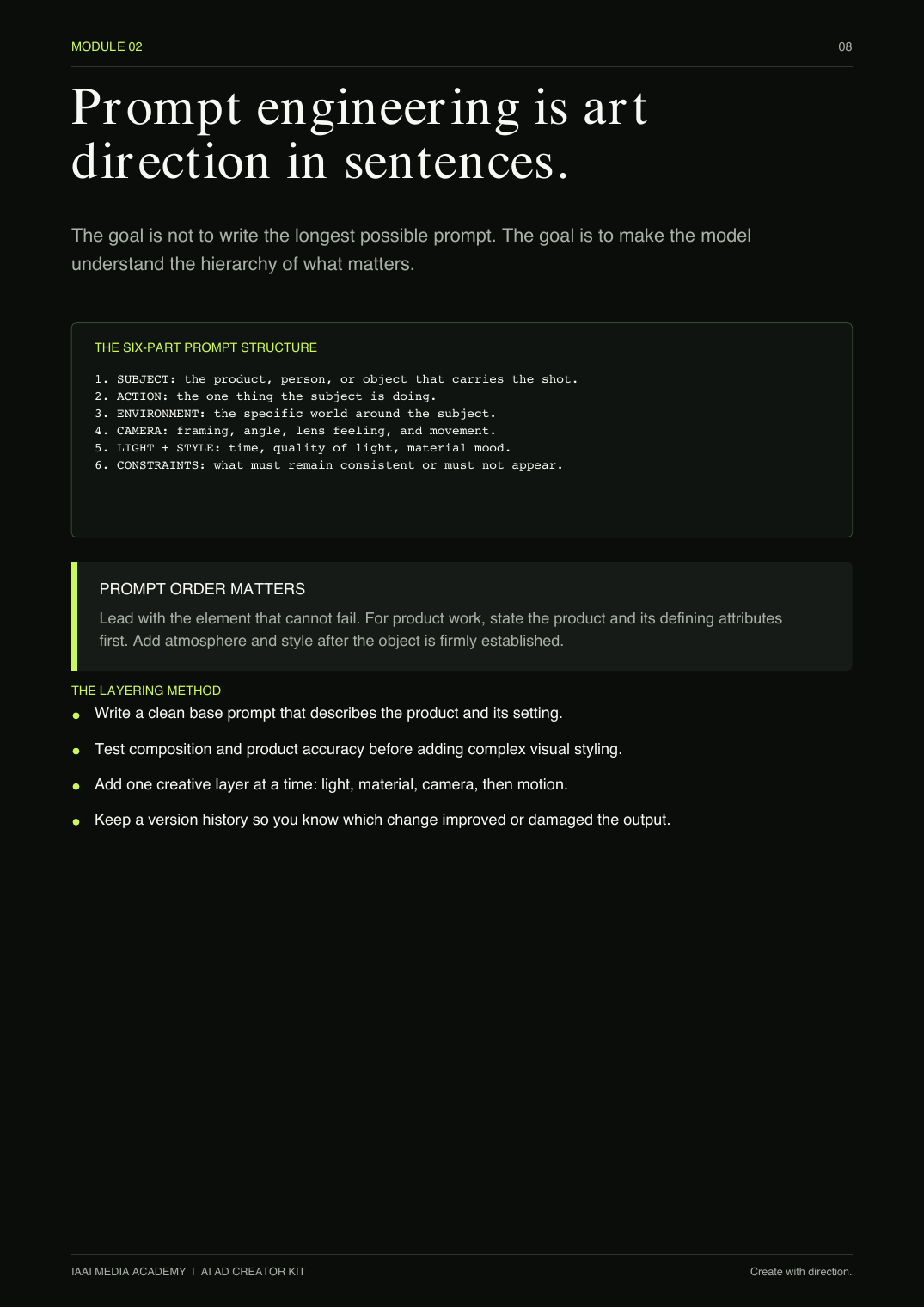
Use practical structures for framing, lighting, movement, and product or character consistency.
03 / Finish
Use editing, continuity, quality-control, and export checks to bring the sequence together.
Preview real pages
These are unedited pages from the actual kit, not generic mockups. Open any page to review it at full size.
The shift
It is a reference for making clearer decisions, not a claim that every model will produce the same output.
Six modules
Reuse the workflow on the next brief instead of collecting isolated examples with no production order.
Commercial formats, core AI production categories, and the role of creative direction.
Build prompts for images, framing, lighting, movement, and product or character consistency.
Take an idea through script, storyboard, anchor frame, animation, dialogue, edit, and assembly.
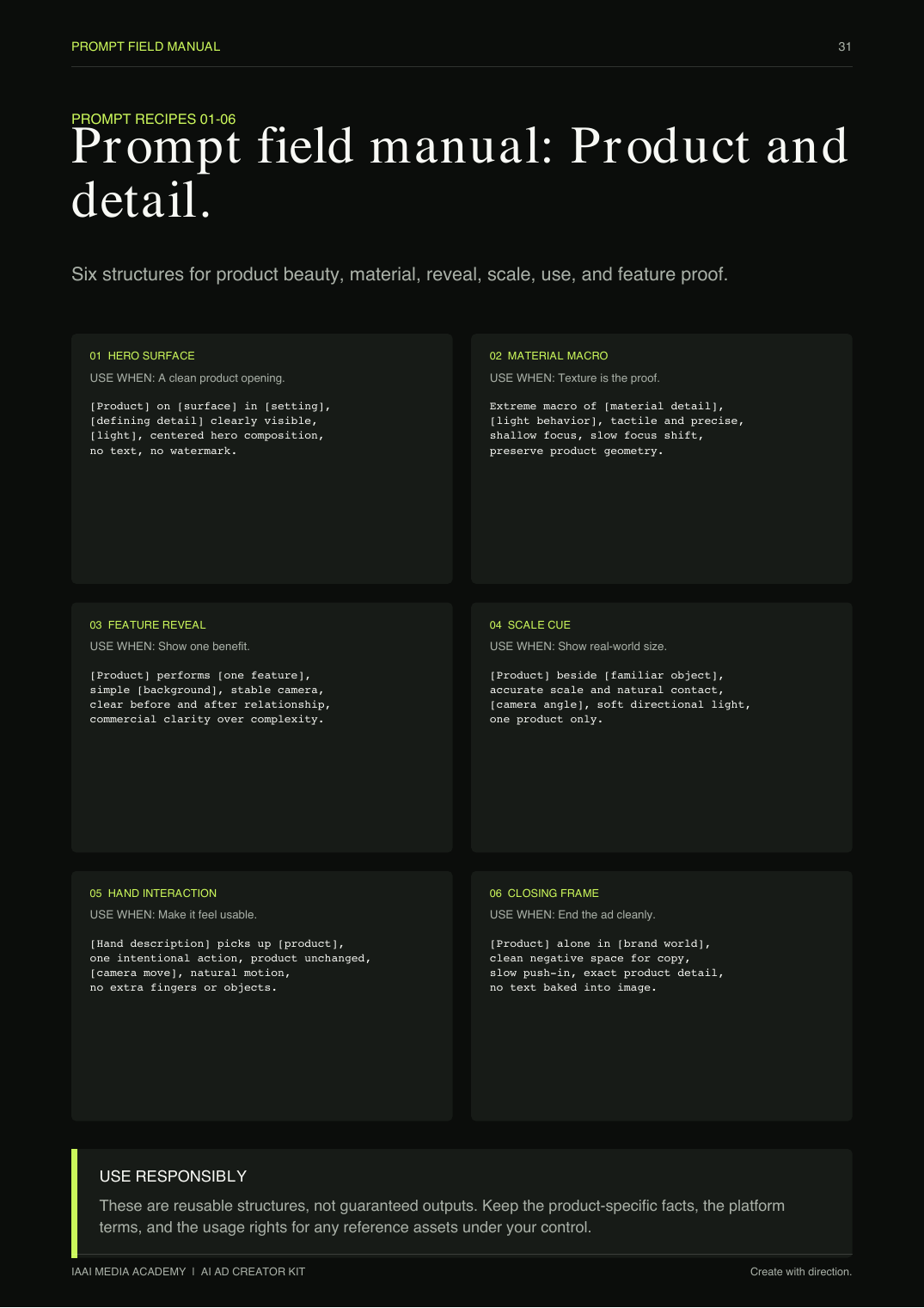
Adapt structured starting points for product, UGC, beauty, e-commerce, lifestyle, and cinematic demos.
Use continuity, troubleshooting, quality control, and export checks to finish cleaner work.
Turn a creative brief into an edit-ready sequence, a reusable Remotion versioning plan, or a controlled HyperFrames motion workflow.
The complete digital kit
A focused digital reference for planning, generating, and refining ad work, rather than an oversized course library.
Reader feedback
Anonymized feedback supplied by kit readers.
I had tried creating AI videos before, but my results were always inconsistent. The step-by-step workflow helped me understand what I was doing wrong.Beginner-friendly
What I liked most was that the prompts weren’t just random examples. They explained how to structure scenes, camera movements, and lighting.Practical prompts
I used to spend hours experimenting with prompts. Having a structured workflow made the process much easier to follow.Time-saving
As a video editor, I wanted to learn how to incorporate AI into my workflow. This guide gave me a practical starting point.For freelance editors
The section on keeping characters and products consistent across different shots was especially useful. That’s something I’ve struggled with for a long time.Character consistency
The explanations are straightforward, even for someone who isn’t experienced with AI video generation. I appreciated the examples.Clear explanations
Most AI tutorials focus on generating one impressive clip. This guide explains how to approach an entire advertisement from concept to final edit.Production-focused
The biggest takeaway for me was learning how to think about AI videos like a director instead of just typing prompts into a generator.Creative direction
I like that I can return to specific sections whenever I’m working on a project. It’s more useful as a reference guide than something you read only once.Useful reference
The combination of prompts, production workflows, and troubleshooting advice made the material feel practical rather than theoretical.Overall value
One-time purchase
₹2,999 INR
One payment. No subscription. Keep the guide as a working reference.
Secure checkout through Gumroad. Your download links are sent automatically after successful payment. No physical shipping.
Questions, answered
Clear expectations before you pay: no software subscription, done-for-you production, or guaranteed campaign results.
Yes. It begins with fundamentals and moves into production decisions, so you have a clear starting point even if you have not used AI video tools before.
This release is a downloadable PDF eBook system with practical workflows, prompt structures, templates, and instructions.
You choose the image, video, and editing tools that suit your budget and availability. Third-party tools can have separate subscriptions or usage costs.
Not necessarily to understand the workflow. Individual third-party AI tools may have their own credit, subscription, or usage costs.
Complete payment through Gumroad and the download links are automatically sent to the email address used at checkout.
You can apply these prompting approaches to commercial work, subject to the terms and licenses of every third-party tool you use.
This page does not promise future updates. Any update entitlement will be stated clearly if it is added to a future release.
Use the support link in the footer and include the email address used for your Gumroad order.
AI outputs vary by model, version, references, input quality, and iteration. The kit teaches a method, not a one-click result.
Because this is a digital product, no refund is available after the kit has been emailed to the delivery address you submitted. If you need help before delivery, contact support.